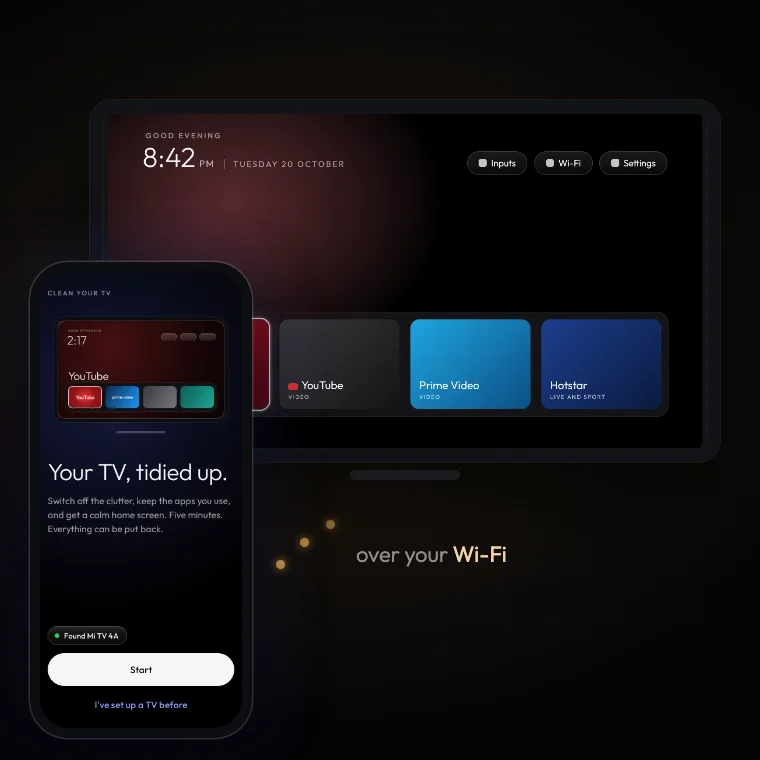
Check both devices
You need an Android phone running Android 9 or newer with a screen lock, and an Android TV or Google TV. Put both devices on the same Wi-Fi. Samsung Tizen, LG webOS and Roku OS do not use this app’s Android workflow. Find the TV model and operating system in Settings → About; wording varies by brand.
Download the phone app
Use the download centre to obtain the APK from the community developer’s GitHub release. Install it on your Android phone, not on the television. Review the package and Android’s installation prompts before proceeding.
Enable debugging and connect
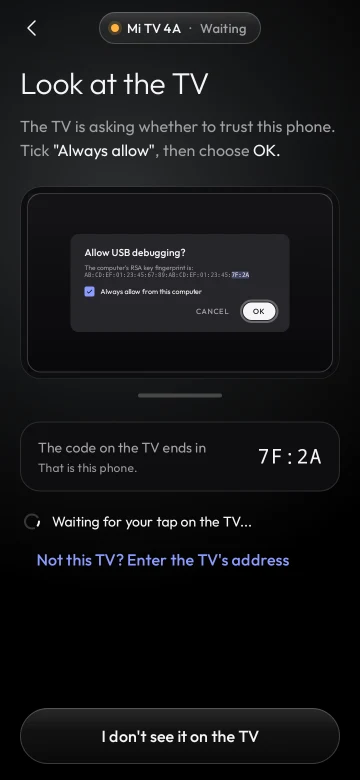
Follow the app’s device-specific instructions for developer options and network debugging. When the TV displays an authorization request, approve only the phone you are using. Guest Wi-Fi and network isolation may prevent discovery.
Review before applying
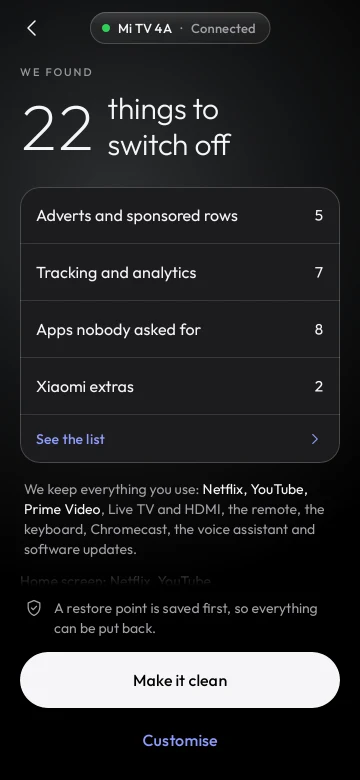
Let the app analyse the TV and read the proposed changes. Check that your streaming apps, HDMI inputs, casting and other features you need are preserved. The app documents a restore point before changes; make sure it is saved.
Check the result and keep recovery available
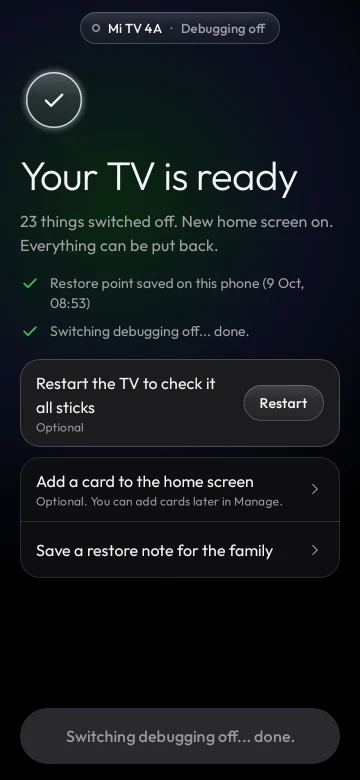
Check the remote, Home button, HDMI inputs, streaming apps and casting if you use it. Keep the app’s restore point. The app documents undo controls for individual changes or the full setup. Turn off debugging when finished unless it is still needed.
Source: upstream documentation ↗. Procedures depend on model, firmware and tool version.